Loan Amortization Calculator
Full Payment Schedule, Extra Payments, and Free Exports
Last updated: August 2026 • 100% private, runs entirely in your browser • no sign-up, no limits, no watermark
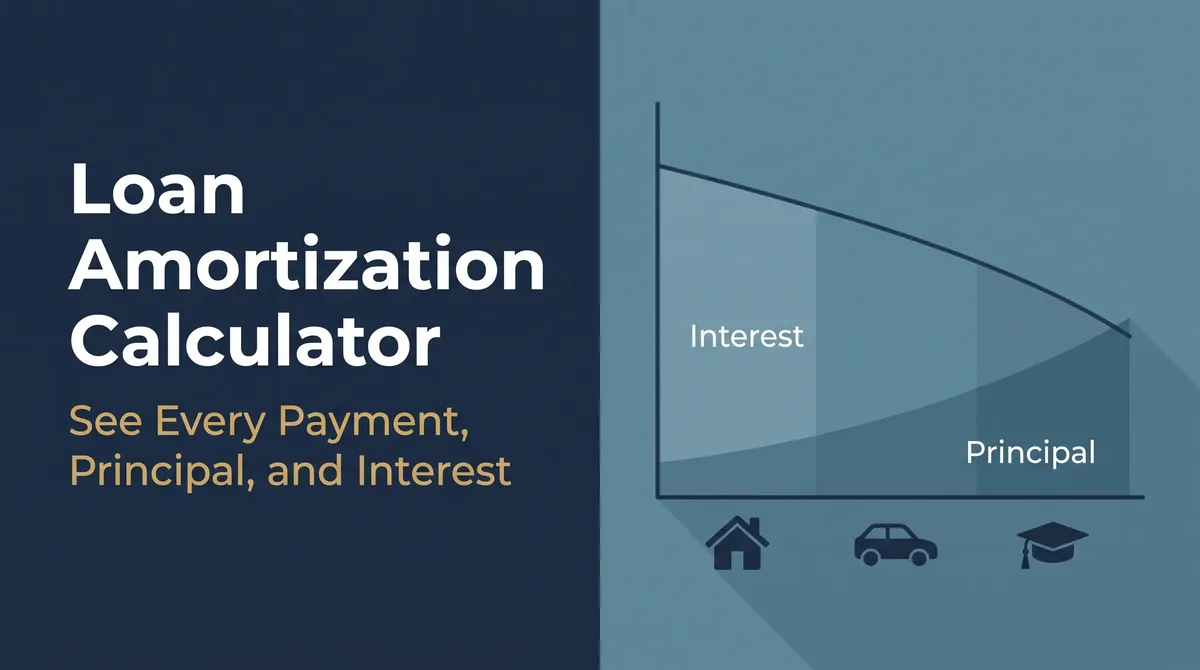
Your loan is more than a monthly payment. It's a slow trade between principal and interest, stretched over years, and most people never actually see how it plays out.
This free loan amortization calculator shows you the whole thing. It works as a full amortization schedule calculator: enter your loan and it builds a complete amortization schedule in seconds, every payment, how much goes to principal, how much to interest, and your shrinking balance right down to the final dollar.
You also get the stuff other tools charge for. Extra payments. Six payment frequencies. Free CSV, Excel, and PDF export. And it all runs in your browser, so your numbers stay yours.
What Is an Amortization Schedule?
An amortization schedule is a table that shows how each loan payment splits between principal and interest, month by month, until your balance reaches zero. That's the short version.
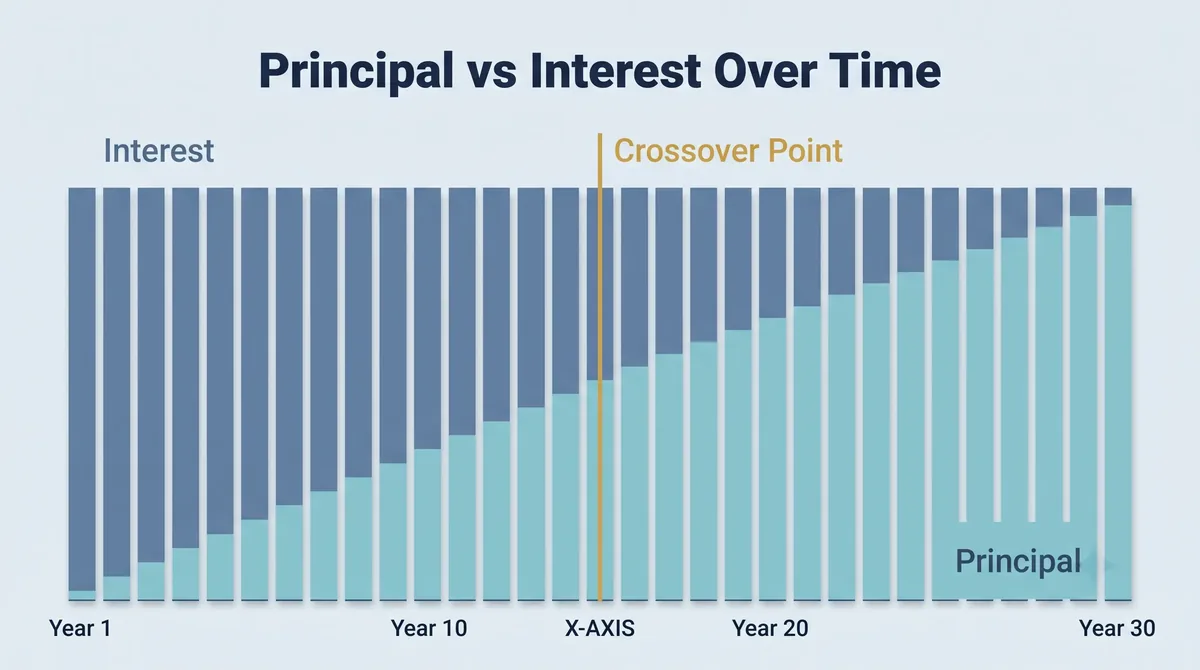
Here's the part that surprises people. In the early years, most of your payment goes to interest, not the actual loan. A tiny slice chips at the principal. Slowly that flips.
Eventually you hit the "crossover point," where more of each payment finally attacks the principal instead of the bank's interest. An amortization table lays all of this out so you can see exactly where your money goes and what your loan truly costs.
How to Use This Amortization Calculator
You don't need any finance background. Just work down the form.
- Pick your loan type. Mortgage, auto, personal, or student. Each one loads sensible defaults you can change.
- Enter the basics. Loan amount, annual interest rate, and term in years.
- Set your start date. This lines up real payment dates, so you get an amortization schedule with dates that matches your calendar.
- Choose your payment frequency. Monthly, bi-weekly, weekly, semi-monthly, quarterly, or annually.
- Add extra payments (optional). A recurring amount, a one-time lump sum, or both.
- Hit calculate. Your payment, total interest, payoff date, and full schedule appear instantly.
From there you can export the whole thing or tweak a number and watch it update.
How Loan Payments Are Calculated
Want to see the math behind the mortgage amortization calculator? Here's the formula every standard loan uses:
Payment = P × r × (1 + r)^n ÷ ((1 + r)^n − 1)
Don't let it scare you. P is your loan amount. r is the interest rate per payment period (your annual rate divided by the number of payments per year). n is the total number of payments.
Let's run a real one. Say you take a $300,000 mortgage at 6.5% for 30 years.
- Monthly payment: about $1,896
- Total interest over the life of the loan: roughly $382,600
- Total you actually pay back: about $682,600
Read that again. You borrowed $300,000 and hand back nearly $683,000. That's the quiet power of interest over 30 years.
And month one? Of that $1,896 payment, around $1,625 goes to interest and only $271 touches your principal. Brutal, but that's how amortization works early on.
One exception. At 0% interest, there's no formula magic. Your payment is just the loan amount divided by the number of payments.
How to Read Your Amortization Schedule
Once you calculate, the tool builds your full amortization table, grouped by year so it stays readable even on your phone. Tap a year to open its payments. Each row shows you five things.
Payment number and date. Which payment it is and when it's due.
Payment amount. Your fixed payment for that period.
Principal. The chunk that actually reduces what you owe.
Interest. The chunk the lender keeps.
Remaining balance. What's left after that payment.
Watch the principal and interest columns as you scroll down the years. Early on, interest dominates. By the back half of the loan, principal takes over. That shift is the single most useful thing an amortization schedule teaches you, and it's exactly why paying a little extra early hits so hard.
Understanding Every Feature
This calculator packs in the features that actually change your numbers. Here's what each one does.
Loan Type Presets (Mortgage, Auto, Personal, Student)
Tap a preset and the form fills with typical values for that loan. It's a fast starting point. This means the tool doubles as an auto loan amortization schedule, a student loan amortization calculator, or a personal loan amortization schedule, all in one place. Change any number to fit your real loan.
Payment Frequency (Monthly, Biweekly, Semi-Monthly, and More)
Most calculators only do monthly. This one gives you six frequencies, and that matters more than you'd think.
Switch to bi-weekly and you make 26 half-payments a year, which equals 13 full payments instead of 12. That one extra payment a year quietly shaves years off your loan. A biweekly amortization calculator shows the savings in black and white. Paid semi-monthly or quarterly instead? The semi-monthly amortization calculator mode has you covered too.
Extra Payments (Recurring and Lump Sum)
This is where you take control. You can add a recurring extra payment every period, drop in a one-time lump sum, or do both together.
Every extra dollar goes straight to your principal. That means you stop paying interest on that dollar for the rest of the loan. Use this as an amortization calculator with extra payments and watch how fast a small monthly extra adds up.
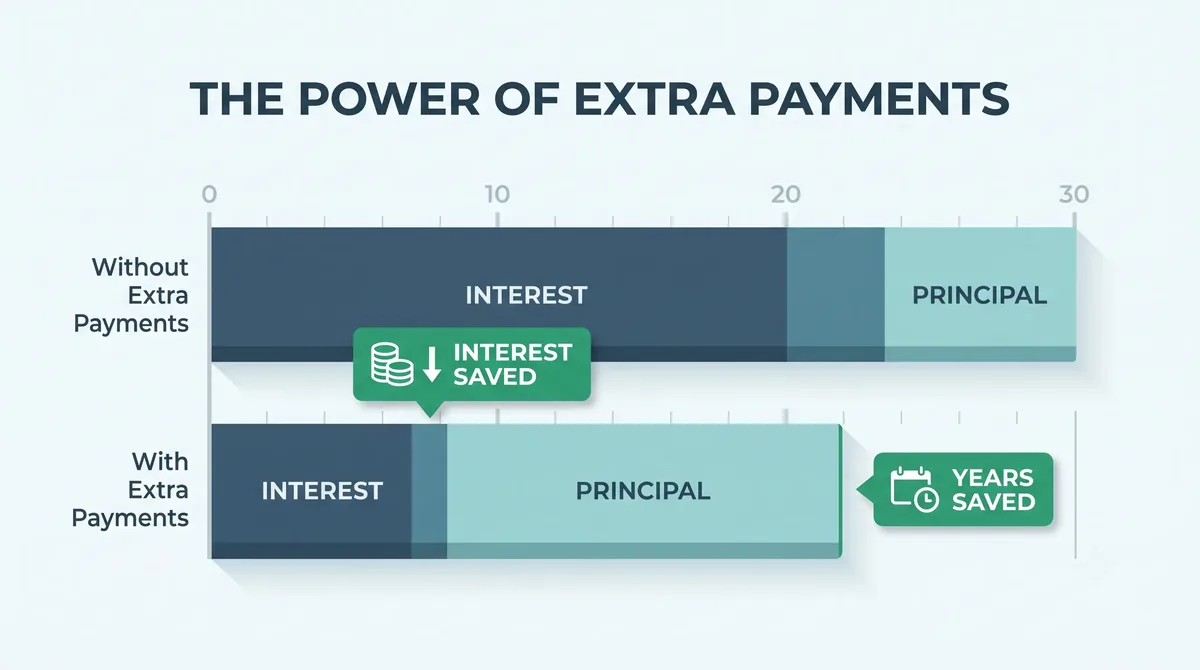
Quick example. On that same $300,000 mortgage at 6.5%, throwing in an extra $200 a month can cut roughly five years off the loan and save tens of thousands in interest. Same house, same rate, one small habit. That's the kind of number this tool puts right in front of you.
With vs Without Extra Payments
Here's the feature people love. The tool shows a side-by-side comparison: your loan with the extra payments versus without them.
You see the interest saved, the time saved, and your new payoff date, all at a glance. It turns a vague "paying extra is good" into a real number you can feel.
Free Unlimited Exports (CSV, Excel, PDF)
Need the schedule outside the browser? Download it. You get a printable amortization schedule, plus CSV and amortization schedule Excel and PDF files.
No account. No email. No row limits. No watermark. A lot of sites lock exports behind a paywall or cap you at three downloads. This one doesn't.
100% Private (Runs in Your Browser)
Your loan amount, rate, and schedule never leave your device. The whole calculation happens right in your browser using JavaScript. Nothing gets uploaded, stored, or tracked. Your money is nobody's business but yours.
Why Your Schedule Might Not Match Your Bank Statement
This trips up almost everyone at some point. You run the numbers, then your lender's statement shows different amounts. Usually it comes down to three things.
Payment frequency. If your lender bills every two weeks but you picked monthly, the whole schedule shifts. Match it.
Start date. Use the date your first payment is actually due, not today. Payment timing changes how interest builds.
The exact rate. A rounded rate throws the math off fast. Pull the precise rate from your loan documents.
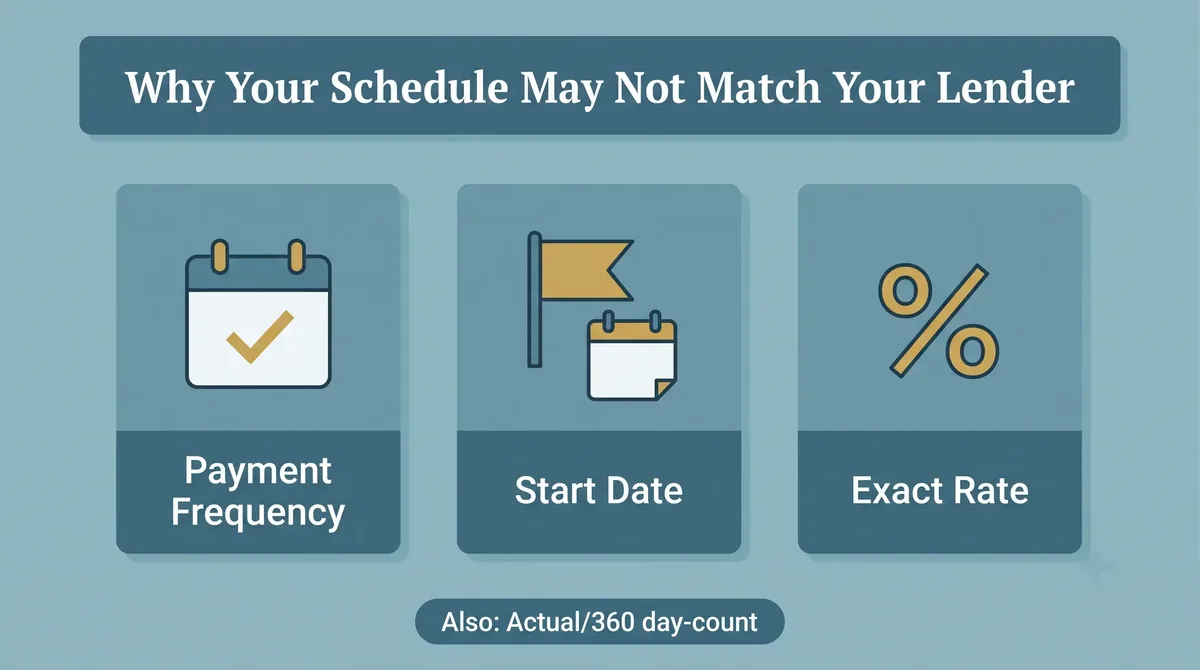
There's also a sneakier reason. Some lenders use a day-count method called Actual/360, which counts real days but treats the year as 360 days. That nudges your effective interest a little higher than a simple monthly split, so your statement's interest looks bigger than a basic calculator predicts. If your numbers are close but not exact, this is often why. Spot-check the first three rows against your statement, and if those line up, the rest will too.
Who This Calculator Is For
This tool fits a lot of people. Homebuyers planning a mortgage and wanting to know the real lifetime cost. Borrowers thinking about paying extra to get free sooner. Loan officers and bank staff who need a quick, clean schedule. Anyone comparing two loan offers. If you have a loan or you're about to take one, this shows you what you're really signing up for. Pair it with our Debt Payoff Calculator or check your borrowing health with the Debt-to-Income Calculator.
Frequently Asked Questions
What is an amortization schedule?
It's a table that breaks down every loan payment into principal and interest, showing your balance drop to zero over time. Early payments lean heavily toward interest, and later ones shift toward principal. It's the clearest way to see what a loan actually costs you.
How is a loan payment calculated?
Standard loans use the amortization formula: Payment = P × r × (1+r)^n ÷ ((1+r)^n − 1), where P is the loan amount, r is the interest rate per payment period, and n is the total number of payments. At 0% interest, the payment is simply the loan amount divided by the number of payments.
Do extra payments really save that much interest?
Yes. Every extra dollar goes straight to principal, so you stop paying interest on it for the rest of the loan. Even a small recurring extra payment can save years and thousands of dollars, especially early in a long loan like a mortgage.
Is a biweekly payment better?
Often, yes. Paying every two weeks means 26 half-payments a year, which adds up to 13 full payments instead of 12. That extra payment each year can shorten your loan and cut total interest, with no huge change to your budget.
Why doesn't my schedule match my lender's statement?
Usually it's a mismatched payment frequency, a start date that doesn't match your first real payment, or a rounded interest rate. Some lenders also use an Actual/360 day-count method that raises interest slightly. Match all three inputs to your loan documents and the schedule should line up.
Can I get a free printable or PDF amortization schedule?
Yes. You can download your full schedule as CSV, Excel, or PDF, or print it, with no signup, no watermark, and no download limits. Every export is generated right in your browser.
Is my loan data private?
Completely. This calculator runs entirely in your browser. Your loan amount, rate, and schedule are never sent to a server, saved, or tracked.
Can I download my amortization schedule to Excel?
Yes. After you calculate, use the export buttons to download your full amortization schedule as an Excel file, a CSV, or a PDF. Exports are free and unlimited, and the file is created in your browser, so your loan details never touch a server.
Can I use this as a car loan amortization calculator?
Yes. Tap the Auto Loan preset or enter your car loan amount, rate, and term (such as 60 or 72 months). The schedule shows how much of each car payment goes to interest and how much goes to principal. If you are still shopping, the Reverse Auto Loan Calculator shows how much car you can afford for a set monthly payment.
Does the amortization schedule show payment dates?
Yes. Set your Loan Start Date and the schedule lists the date of every payment, so you can see exactly when your loan will be paid off and match each row to your lender's statement.
This calculator provides estimates for planning and education. Your lender's official figures may differ slightly due to rounding, fees, and day-count methods. Always confirm with your loan documents.